Let your AI work from real charts instead of guesses.
An astrology MCP server at mcp.asterwise.com, remote and OAuth-based, that gives Claude, ChatGPT, Cursor, Windsurf and any MCP client 118 read-only astrology tools: Vedic and Western charts, dasha, matchmaking, panchanga, numerology and tarot, every chart computed with the Swiss Ephemeris and nothing guessed by the model.
Connect Claude, ChatGPT or Cursor: add the URL, approve in your browser, done.
No config file. No key to paste. Add the URL, approve in a browser tab, and you're connected.
-
1
Create your free Asterwise account
The Sandbox plan is free: 500 calls a month, no card. Your AI will ask you to sign in with this account in step 4.
Create a free account -
2
Copy the Asterwise URL
This is the only thing you need to paste. There is no key and no config file.
URLhttps://mcp.asterwise.com/mcp -
3
Paste it into your AI
Pick your app. Each one keeps connectors in a slightly different place.
- Open claude.ai, then Settings → Connectors.
- Click Add custom connector.
- Name: Asterwise. URL: paste the address from step 2. Click Add.
- Click Connect next to Asterwise. Go to step 4.
The connector then works in Claude on the web and in the Claude desktop app.
- Open Settings → Connectors (on newer builds, Apps & Connectors) → Advanced settings, and turn on Developer mode.
- Back in Connectors, click Create.
- Name: Asterwise. Description: Astrology, numerology and tarot calculations. MCP Server URL: paste the address from step 2. Authentication: OAuth. Click Create.
- Click Connect, approve as in step 4, then in any chat open the + menu → Developer mode and tick Asterwise.
Custom connectors need a ChatGPT Plus, Pro, Business, Enterprise or Edu plan. On Business and Enterprise an admin may have to allow Developer mode first.
- Open the Asterwise listing on the Cursor Directory.
- Click Add to Cursor, at the top right of the MCP card.
- Cursor opens and asks you to install the server. Confirm, then go to step 4.
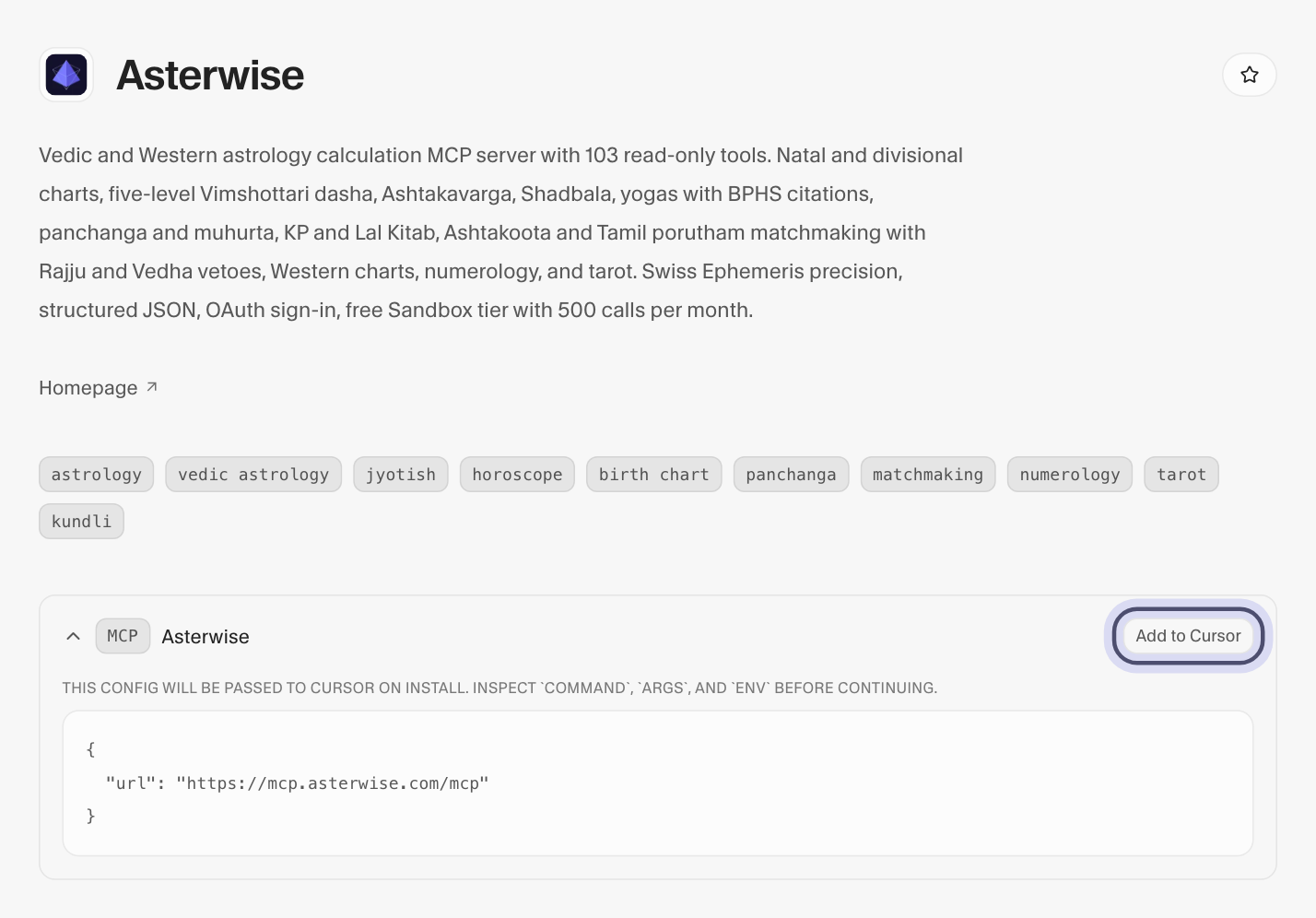
The Add to Cursor button on the Cursor Directory listing. Windsurf, VS Code and any client built on the MCP SDK take the same URL over streamable HTTP. Add it where the app keeps MCP servers, or in its
mcp.json, then go to step 4.{ "mcpServers": { "asterwise": { "url": "https://mcp.asterwise.com/mcp", "transport": "streamable-http" } } }
-
4
Approve once in your browser
A browser tab opens. Sign in with your Asterwise account and click Approve. That grants a read-only
asterwise:readtoken; it cannot touch your keys, billing or settings. Back in your AI, all 118 tools are ready. Revoke access any time from your dashboard.
What your AI gets: 118 astrology tools, all read-only.
Every tool calls the same engine as the REST API, so a chart from Claude matches a chart from curl. Counts come from the tool registry; each group links to its reference.
The same calculations over REST, with worked requests: the Vedic astrology API, the Western astrology API, kundli matching, panchang and Vimshottari dasha.
Built so an agent can't do anything you didn't intend.
A read-only token over OAuth 2.1 — never a key in a prompt. Here's exactly what it can touch.
asterwise:read
OAuth 2.1 with PKCE · read-only · the key never reaches the model
- Compute natal charts, Vimshottari dasha & panchanga
- Run the 36-point Ashtakoota match
- Read across all 118 calculation tools
- Read or rotate your API keys
- Reach account, billing or settings
- Create, modify or delete anything
- See another key's data
Questions about the astrology MCP server
What it connects to, what it can and cannot touch, what it costs, and where the numbers come from.
What is an astrology MCP server?
An astrology MCP server connects an AI assistant to a real astrology calculation engine through the Model Context Protocol. Instead of estimating planetary positions from its training data, the assistant calls a tool and receives computed results: the chart, the dasha periods, the match score, the panchanga for a date.
Which AI clients work with the Asterwise MCP server?
Claude (as a custom connector in claude.ai, or Claude Desktop), Cursor, Windsurf, VS Code and any client built on the MCP SDK. Remote clients use the URL https://mcp.asterwise.com/mcp over streamable HTTP; a stdio entry is available for hosts that need it. The same 118 tools appear in every client.
Client-by-client setup guide →How do I connect Claude or Cursor to Asterwise?
Add https://mcp.asterwise.com/mcp as an MCP server or custom connector in the client. The client opens a browser tab where you approve the read-only asterwise:read scope for your Asterwise account. When you return, all 118 tools are available. No configuration file is required and no API key is pasted anywhere.
Is the Asterwise MCP server free to use?
MCP server usage counts against your API call quota. The Sandbox plan is free with 500 calls per month. Paid plans start at $10/month for 10,000 calls. Every MCP call is metered and shown in your dashboard alongside direct API calls.
See pricing →What can a connected AI do, and what can it not do?
It can call any of the 118 calculation tools. It cannot read or rotate your API keys, reach billing or account settings, or create, change or delete anything: the token is read-only, granted over OAuth 2.1 with PKCE, and revocable from your dashboard. The card above lists exactly what it can and cannot touch.
Where do the numbers come from? Can the model still hallucinate a chart?
Every chart is computed by the Asterwise engine on the Swiss Ephemeris; the model only relays the result. The engine's positions were checked against NASA JPL Horizons: median difference 0.050 arcseconds over 80 positions from 1950 to 2050, 79 of 80 within half an arcsecond. A model can still misread or misquote a result, so keep the tool output visible to the user.
Read the accuracy check →Is the server listed anywhere, and is the source public?
Yes. It is listed on the official MCP registry (registry.modelcontextprotocol.io), on Glama and on Smithery, and the server source is public on GitHub at github.com/asterwise/asterwise-mcp under the MIT licence.
View the source on GitHub →Does the MCP server cover the same calculations as the REST API?
The 118 tools map onto the 131 REST endpoints: Vedic and Western astrology, matchmaking, panchanga and muhurta, numerology, tarot, crystals and dreams. The tools call the same API, so a result relayed by the assistant matches a direct API call for the same input.
MCP tool reference →Stop letting the model guess the chart.
Connect Asterwise over MCP and every astrological figure your agent uses is computed, not imagined.